Api keys
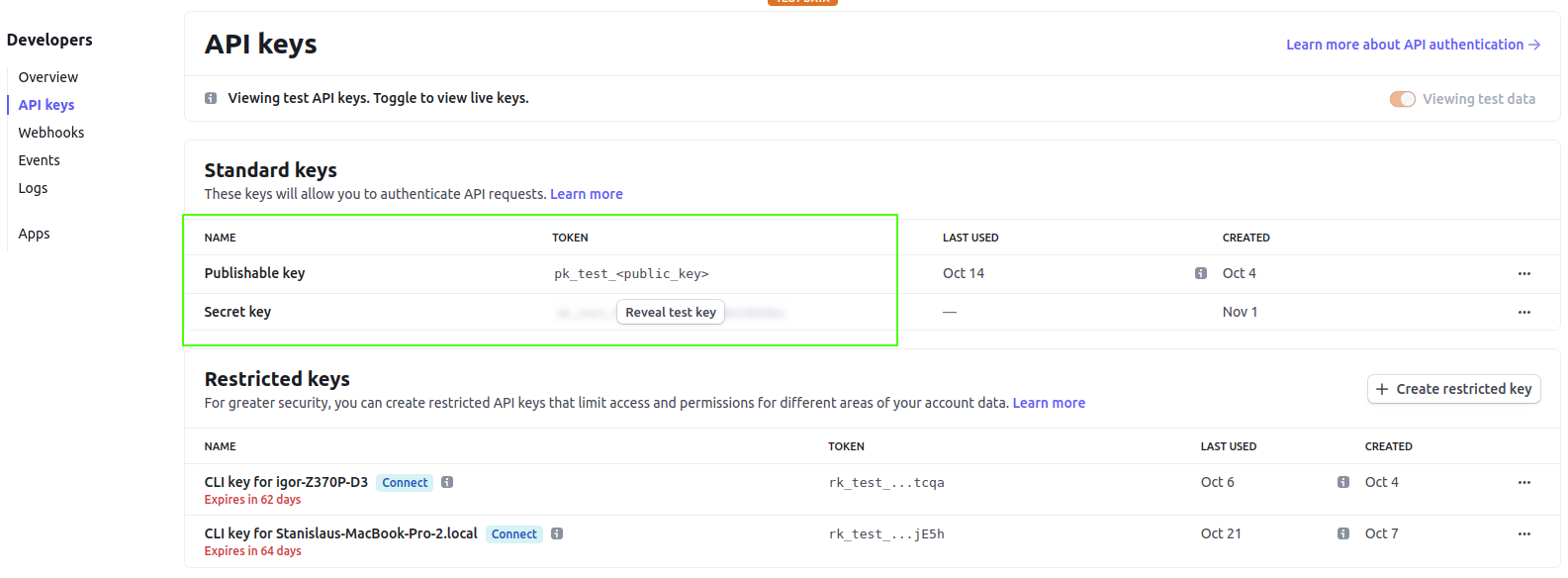
Navigate to theDevelopers tab link and select API keys in the left sidebar.
Here you can find two keys - public and secret.
Public key is required by the client-side stripe library (for example - a payment form to purchase a product or add a card for later use).
(Ship uses client-side stripe library to display add card form)
Secret key is used to interract with stripe using application’s server.
Copy them and store in web’s (public key) configs and server’s configs (secret key)
Webhooks
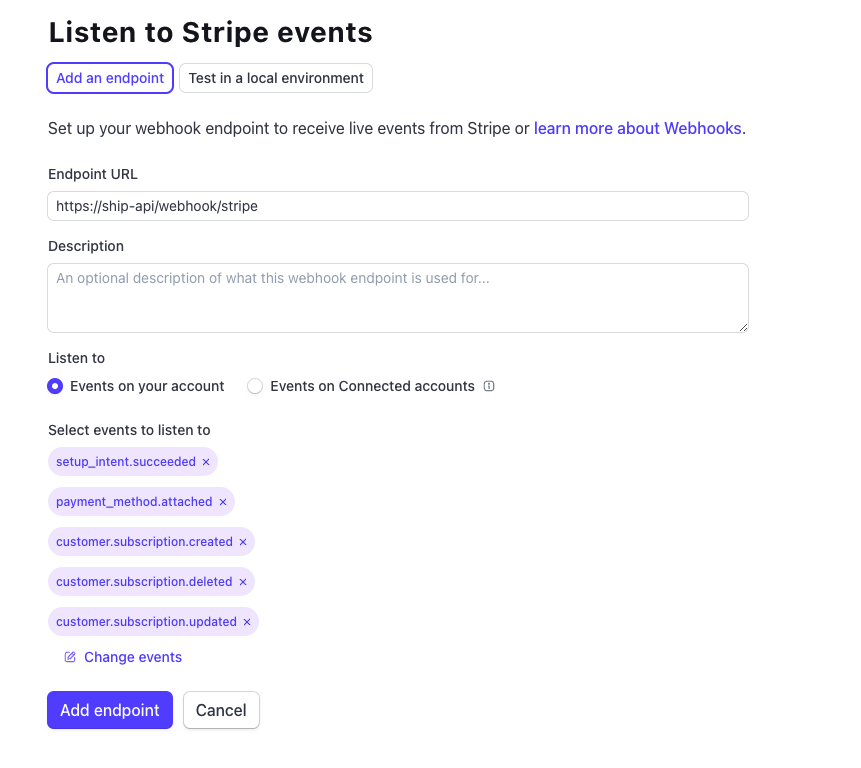
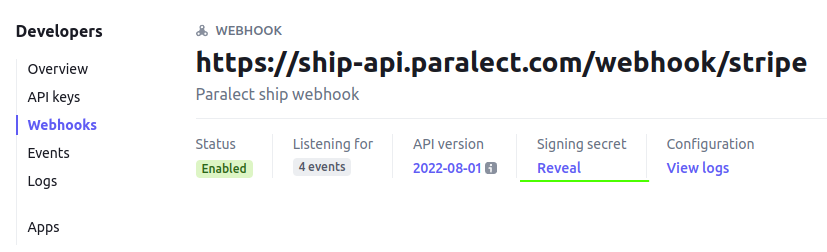
Webhooks allow stripe to communicate with your server by sending plain POST requests on every event, that happens on stripe. During adding a new webhook you can select which events should be sent to the server. Start creating a new webhook by clicking on the+ Add endpoint button.
Type URL of the endpoint, responsible for listening for the stripe events (Default ship URL is HTTPS://<server_url>/webhook/stripe).
Add events that you want to listen to. Ship listens for the following events -
setup_intent.succeededTriggers when a customer adds a new card using stripe form on the web application.customer.subscription.createTriggers when a customer’s subscription createdpayment_method.attachedTriggers when a customer adds a new card during the payment process on stripe checkout pagecustomer.subscription.updatedTriggers when a customer’s subscription changescustomer.subscription.deletedTriggers when a customer’s subscription is deleted.
Subscription products
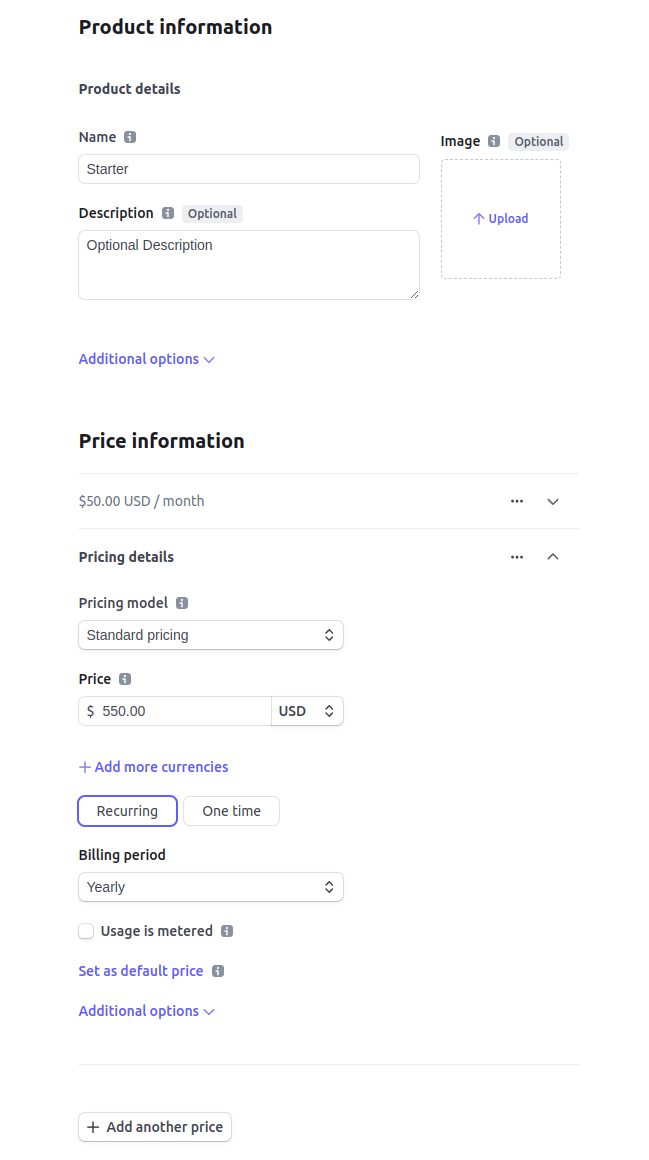
Navigate to the product tab link and press the Button+ Add product in the top right corner.
Add product name and, optionally, description and image.
Next, add price information. To create a basic subscription with recurring payments, select pricing model Standard pricing, add price and currency, select Recurring option below the price, and select Billing period.
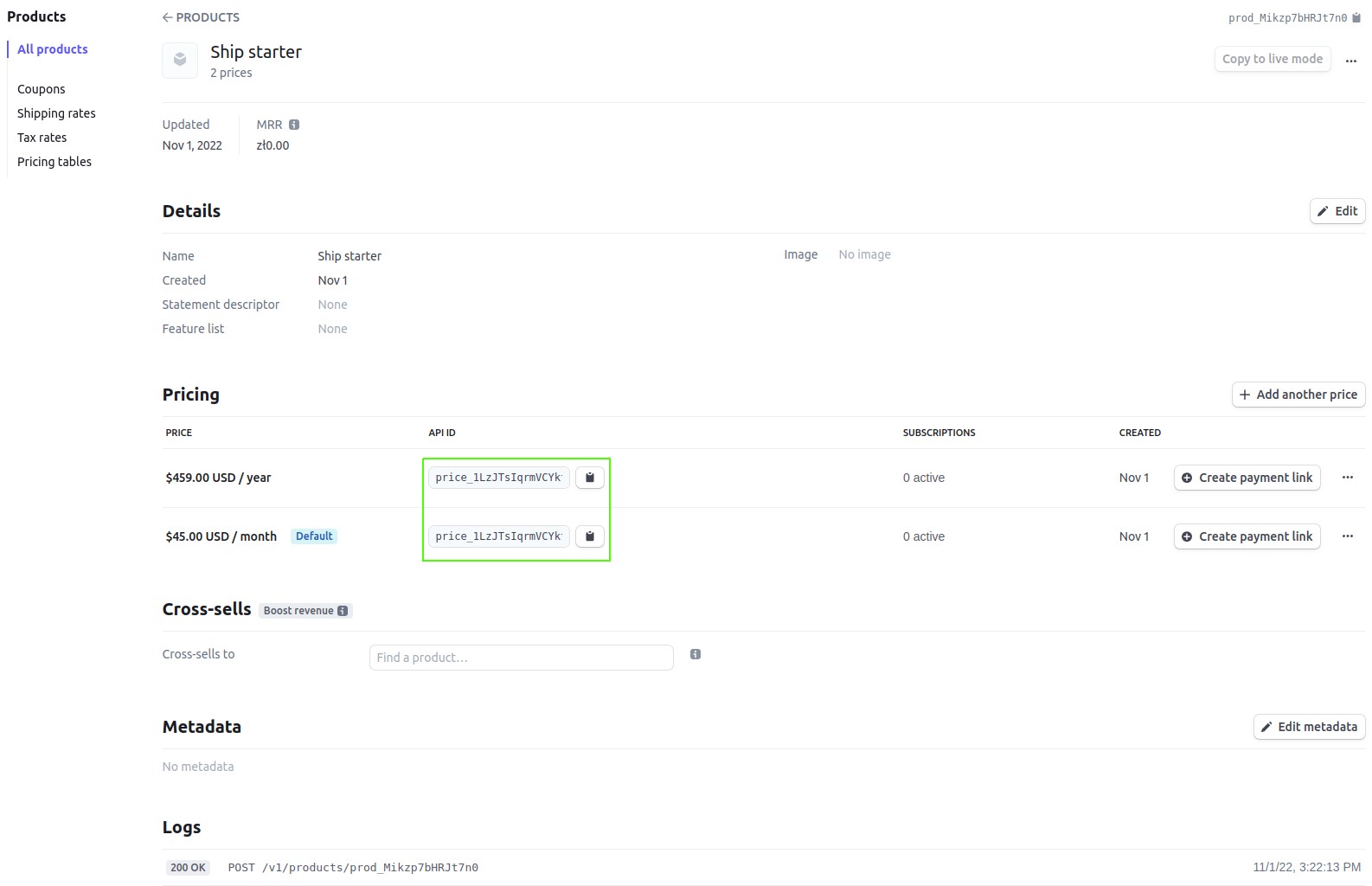
Stripe allows to setup several prices for product. Ship uses subscripti ons with two payment periods - monthly and yearly, therefore stripe product should has two prices. Click the button + Add another price at the bottom and fill in the second form. Make sure prices have Monthly and Yearly billing periods